
KXCO Pay Is Live: WooCommerce Crypto Payments Straight to Your Own Wallet
Version 1.0.0 went live on WordPress.org on 7 October 2026. The customer pays the store's own address, the plugin reads the chain and settles the order, and KXCO takes no commission.
Part of theBlockchain Center
A customer at a WooCommerce checkout picks Bitcoin, sees an exact amount and a QR code, and pays from their own wallet. The coins land at an address the store owner pasted into a settings page. They do not pass through KXCO, and no processor sits between the two wallets. The software has one job: read the blockchain and tell WooCommerce when the money has arrived.
That is KXCO Pay. Version 1.0.0 went live in the WordPress.org plugin directory on 7 October 2026. It takes Bitcoin, Ether, USDT and USDC. It is free under the GPL. It charges no commission on any payment. It also takes payment away from the cart: a donation page, an invoice link or a tip jar in a sidebar, each with one line of shortcode.
Keral Patel is the technical lead on KXCO Pay. What follows is what version 1.0.0 does and how a payment completes, read from the shipped source code, the same zip WordPress.org serves to every store that installs it.
The money never leaves the chain
A processor-based crypto gateway takes the customer's coins into the processor's account. The merchant waits for a payout, often converted back to fiat, and a percentage comes off on the way. The merchant also inherits the processor's account risk: a review, a held balance, a change of terms.
KXCO Pay has no account in which a balance could sit. For every payment, the 1.0.0 code reads the receiving address from the merchant's own settings, one address per coin. A coin with no address is not offered at checkout. The customer's wallet sends to that address, and the plugin reads public blockchain data to see whether the payment arrived.
Two things follow for the merchant.
The full amount arrives. There is no fee logic anywhere in the plugin. The readme puts it in one line: "No per-transaction fee from us, ever."
Settlement belongs to the chain. A Bitcoin payment is final when Bitcoin confirms it, not when a payout batch runs.
KXCO holds no financial licences and never custodies customer assets. KXCO Pay gives it nothing to custody. The funds move from one wallet to another on a public chain, and the software watches.
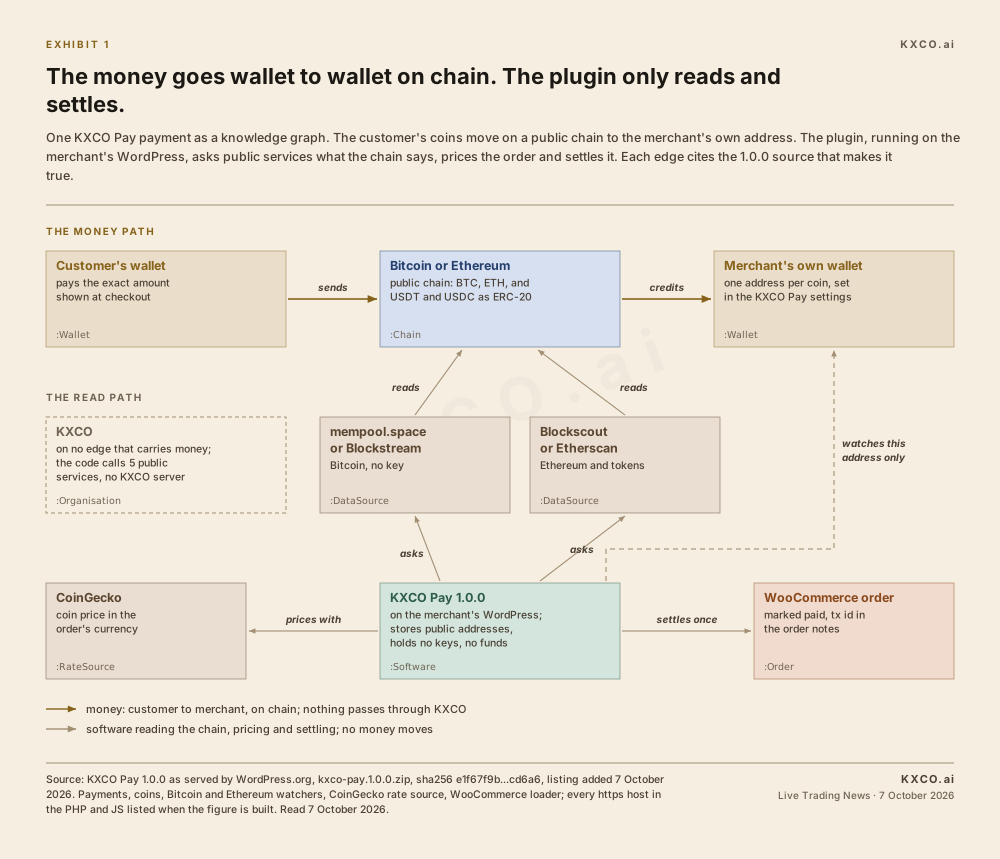
Exhibit 1. Every edge is checked against the shipped 1.0.0 source when the figure is built. KXCO appears on no edge that carries money.
What leaves the store is short and public. The plugin fetches exchange rates from CoinGecko. It reads Bitcoin through mempool.space or Blockstream. It reads Ethereum and its tokens through Blockscout, or through Etherscan if the merchant adds a free key. The readme's external services section names each one and states what they receive: "only public blockchain addresses and coin/currency codes required to confirm a payment." The plugin makes no call to any KXCO server. The build of Exhibit 1 checks that too, by listing every API host in the code.
What version 1.0.0 does
A WooCommerce gateway. "Pay with Crypto" appears as a payment method on the classic checkout and on the newer Cart and Checkout Blocks. The plugin declares compatibility with High-Performance Order Storage, WooCommerce's dedicated order tables.
Four coins. Bitcoin and Ether natively, plus USDT and USDC as ERC-20 tokens on Ethereum. The token watcher reads transfers only from the two official contracts, so a lookalike token sent to the address does not count as payment.
Fiat pricing. Products stay priced in the store's own currency, such as USD, EUR or GBP. The plugin converts at checkout.
A live checkout widget. A QR code, one-tap copy of the address and the amount, a countdown on the locked rate, and a status line that changes as the payment confirms.
Automatic settlement. When the chain confirms, the WooCommerce order is marked paid and the transaction id is written into the order notes.
A payments screen. Every payment in one list: date, source with its WooCommerce order number, fiat amount, crypto amount, amount received, status and transaction id, filtered by status.
Free orders stay free. An order with a zero total, such as one covered by a 100 per cent coupon, completes directly without a crypto step.
The requirements are short: WordPress 6.5 or newer, PHP 7.4 or newer, and WooCommerce active. The directory listing says it is tested up to WordPress 7.1. The PHP bcmath extension is recommended for exact crypto amounts, and the plugin falls back without it.
What the customer sees
The customer chooses Pay with Crypto at checkout and places the order. WooCommerce sends them to the order-pay screen, which carries a coin picker. They tap Bitcoin, Ether, USDT or USDC, and the widget appears: the fiat total, the exact crypto amount, the receiving address, a QR code and a countdown on the rate.
They scan the code with a phone wallet, or copy the address and amount with one tap each, and send. The status line moves on its own. It reads "Waiting for payment" until a transaction appears, then shows the payment being confirmed, then "Payment received. Thank you!" when the merchant's confirmation count is reached. There is no page refresh, no redirect and no waiting on an email.
If the window closes with nothing sent, the widget says so: "This payment window has expired." If the customer sends too little, it tells them to contact the store, and the merchant sees the order on hold with the shortfall written into the notes.
How a payment completes, in 7 steps
1. The price is converted once, then locked
At checkout the plugin asks CoinGecko for the coin's price in the order's currency. It divides the fiat total by that price and rounds the result up to the coin's precision. The source explains the rounding in its own comment: "the merchant is never underpaid by rounding." The converted amount is held for 15 minutes by default, so the figure on the customer's screen is the figure owed. Prices are cached for 60 seconds, which keeps a busy store from calling the rate service for every single payment.
2. Each order gets its own exact amount
Several customers can pay the same address at once, so KXCO Pay tells their payments apart by value. When it creates a payment, it adds a random offset of 1 to 999 units in the last three decimal places, at a precision of eight places. On Bitcoin or Ether that is at most 0.00000999 of a coin. On USDT or USDC it is at most 0.000999 of a token. The offset is there so that two orders at the same price on the same address ask for different amounts, and each payment can be matched to its order.
3. The QR code fills in the customer's wallet
The QR code is a payment link, not a bare address. For Bitcoin it is a bitcoin: link carrying the amount. For Ether and the two tokens it follows EIP-681, the Ethereum standard for payment requests, with the amount stated in the token's smallest unit. A phone wallet that scans it fills in the address and the exact amount. Nobody types eight decimal places by hand.
4. The plugin reads the chain
For Bitcoin, the watcher asks mempool.space, or Blockstream if the merchant prefers, for the transactions paying the store's address. It adds up every output in a transaction that pays that address and counts confirmations from the current block height. No API key is needed.
For Ether, USDT and USDC, it asks Blockscout's public Ethereum endpoint with no key, or Etherscan's API if the merchant enters a free key for higher reliability. Ether payments come from the address's transaction list and token payments from its token-transfer list, filtered to the official contract. Failed transactions and zero-value calls are skipped.
Both watchers carry the same guard. A transaction dated more than two hours before the order was created is ignored, so an old payment to a reused address cannot settle a new order. If a data source does not answer, the watcher reports nothing found and reads again on the next pass.
5. The payment moves through its states
A payment has four states on the way to success.
Pending. The order is waiting for a transaction.
Detected. A transaction paying the address has been seen with zero confirmations.
Confirming. The transaction is mined but below the merchant's threshold.
Paid. The threshold is met and the amount received is inside the tolerance.
The default thresholds are 2 confirmations on Bitcoin and 12 on Ethereum, which covers Ether, USDT and USDC alike. The default tolerance is 1 per cent below the amount due, which absorbs a wallet that rounds or takes its network fee out of the amount sent. The merchant can set it anywhere from 0 to 10 per cent.
Three other outcomes are handled rather than left hanging.
Underpaid. Confirmed but short by more than the tolerance. The WooCommerce order goes on hold with a note giving the amount received and the amount expected, for the merchant to review.
Overpaid. Confirmed and over. The order settles as paid and the amount received is recorded.
Expired. Nothing arrived within the order window, 30 minutes by default.
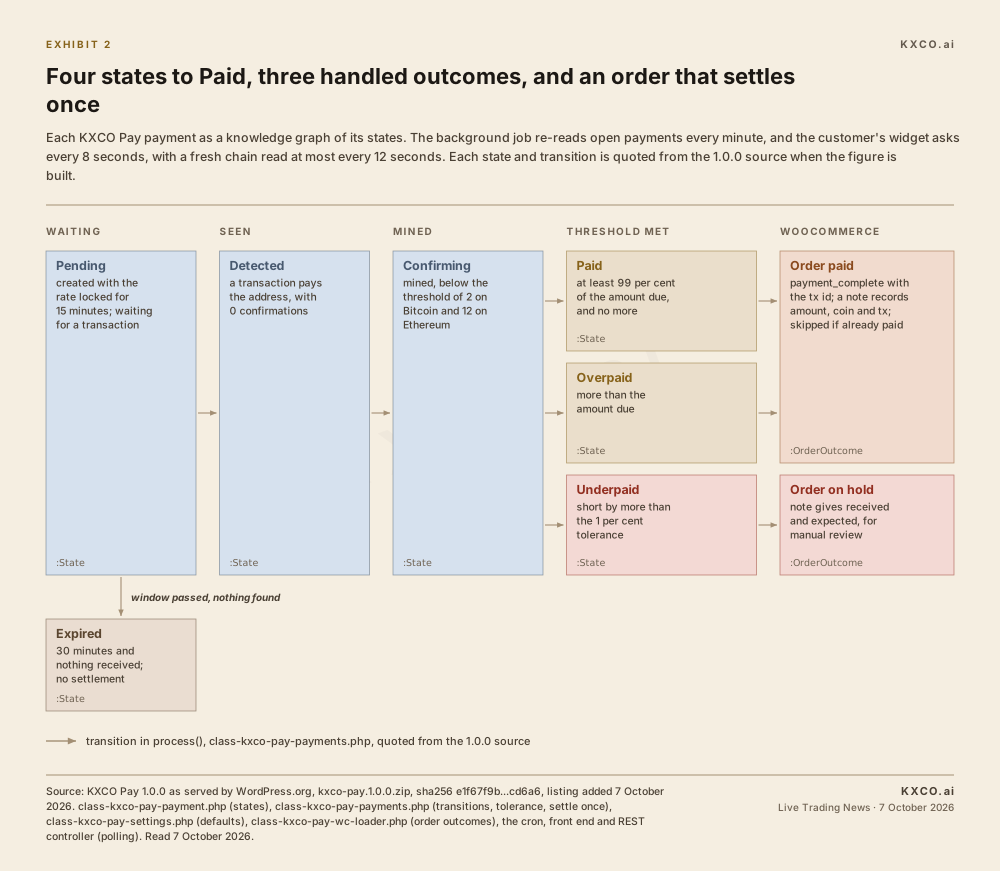
Exhibit 2. Each state and each transition is read from the shipped 1.0.0 source, and the build fails if a condition shown here is not in the code.
6. The order settles once
The watcher re-reads the chain on every pass, but it acts on a payment only when its status changes. The settlement step then checks whether the WooCommerce order is already paid and stops if it is. A slow or repeated poll cannot settle an order twice.
On settlement the order is marked paid through WooCommerce's own payment-complete call, with the transaction id attached, and a note records the amount, the coin and the transaction. Stock was reduced when the order was placed, so the goods are held for the customer while the chain confirms.
7. Two clocks watch the payment
A background job runs every minute and advances up to 50 open payments. On the customer's side, the widget asks the payment's status endpoint every 8 seconds, and each ask can trigger a fresh chain read, throttled to one every 12 seconds per payment. If a request fails, the widget waits 16 seconds and tries again. The status changes in place, so the customer watches their own payment confirm.
Take payment on any page
One shortcode puts the full QR checkout behind a button anywhere WordPress renders content: a page, a post, a custom post type, a widget area, or a theme template through do_shortcode().
[kxco_pay]With no attributes, the visitor enters their own amount. That single line is a complete donation form. Five attributes shape it.
amount: a fixed charge, such as 49.00. Leave it out and the visitor chooses.currency: the fiat to price in. It defaults to the store's base currency.button: the label on the button. It defaults to "Pay with Crypto".ref: the merchant's own reference, stored with the payment record.email: optional, required or hidden, which decides whether the form collects an email address.
Five patterns from KXCO's own usage guide:
Donation page. The visitor names the amount:
[kxco_pay button="Donate"]Invoice payment. Send the client a page carrying their invoice number, so the payment is recorded against it:
[kxco_pay amount="1250.00" ref="INV-1042" button="Pay invoice INV-1042"]Single product, no cart. A landing page that sells one thing:
[kxco_pay amount="49.00" currency="USD"]Tip jar in a sidebar. A small fixed amount, email hidden so it stays one tap:
[kxco_pay amount="5" email="hidden" button="Buy me a coffee"]Event or workshop fee. Collect an email to reach the attendee afterwards:
[kxco_pay amount="120" currency="EUR" email="required" ref="WORKSHOP-MAR"]
A standalone payment has a floor of 0.50 in the chosen currency, which keeps dust amounts out of the payments table.
The same button exists as a block. KXCO Pay registers kxco-pay/pay-button with the same five attributes and renders it through the same function as the shortcode, so the two cannot drift apart.
Developers get four REST routes under /wp-json/kxco-pay/v1.
GET /coinslists the coins currently offered.POST /paymentcreates a standalone payment.GET /payment/{key}returns the status of one payment.POST /wc-paymentcreates a payment for a WooCommerce order.
The route that creates payments checks a nonce when one is sent and limits how many payments one IP address can open in a short window. The WooCommerce route requires the order's own secret key and refuses an order that is already paid.
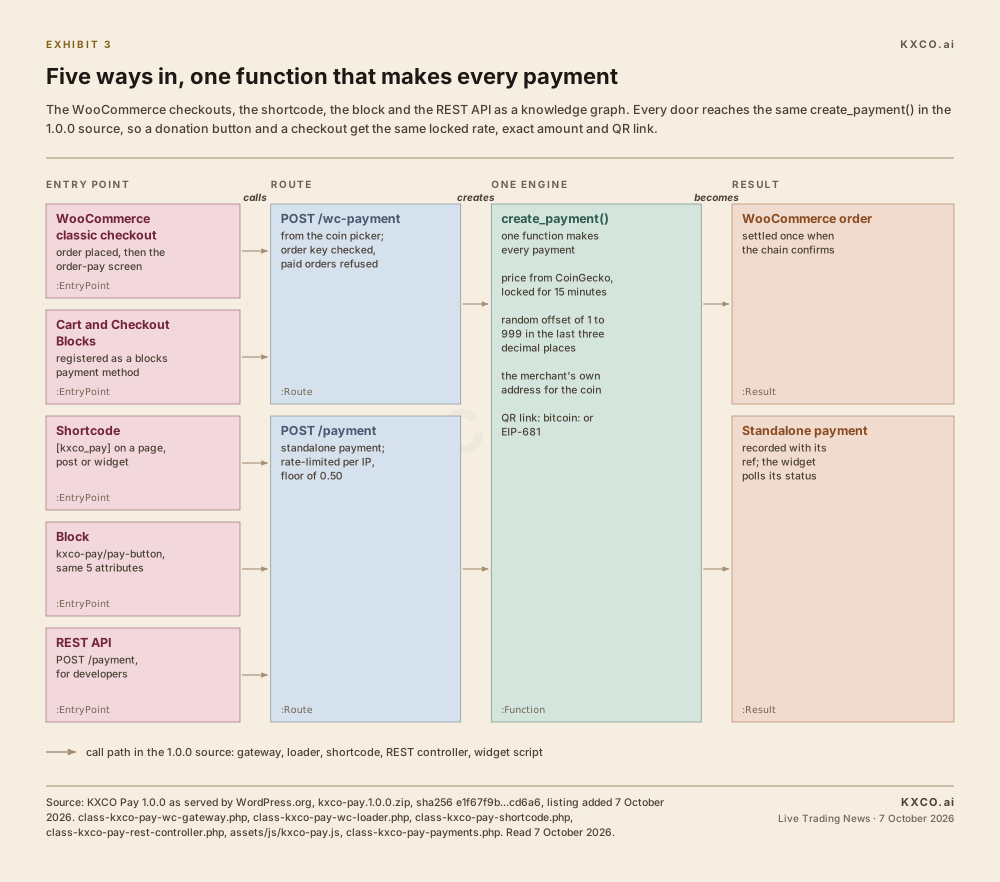
Exhibit 3. Five doors, one engine. Each entry point is traced in the 1.0.0 source to the single function that creates every payment.
Setting it up
Install. In the WordPress admin, go to Plugins, Add New, and search for KXCO Pay, or upload the zip. WooCommerce must be active.
Add addresses. Under KXCO Pay, Settings, paste a receiving address for each coin you want to accept. A coin with no address is not offered.
Tune. Set the base currency, how long a rate stays locked and how many confirmations each chain needs.
Place it. Enable Crypto Payments (KXCO Pay) under WooCommerce, Settings, Payments, then add the shortcode or the block wherever else you want to take money.
The defaults the merchant can change, per the 1.0.0 source:
Base currency: USD.
Rate lock: 15 minutes.
Order expiry: 30 minutes.
Confirmations: 2 on Bitcoin, 12 on Ethereum.
Underpay tolerance: 1 per cent, adjustable from 0 to 10 per cent.
Bitcoin data source: mempool.space or Blockstream.
Etherscan API key: optional.
Coins offered: any of the four, each switched on or off.
Debug log: off.
Delete data on uninstall: off, so settings and payment history survive removing the plugin unless the merchant ticks it.
The engineering under it
Keral Patel leads the technical work on KXCO Pay, and the 1.0.0 source shows where the care went.
Exact amounts. Bitcoin has eight decimal places and Ether eighteen, more than a floating-point number holds. Every crypto amount is carried as a string through PHP's bcmath arbitrary-precision functions, with a fallback for hosts without them.
No keys on the server. The plugin stores receiving addresses, which are public. It never asks for a private key or a seed phrase, and nothing in it can move funds.
Pinned token contracts. USDT and USDC are matched by contract address, so a token that only shares the name does not count.
Address reuse handled. The two-hour lookback keeps an old payment from settling a new order.
A block checkout that registers. WooCommerce can announce its blocks before a gateway is listening. The loader checks for that and registers directly. Its own comment says why: without the check, the payment method "never registers and never appears at checkout."
A widget the theme can restyle. The checkout widget is a template that a theme overrides by copying it into its own kxco-pay folder, so the payment screen can match the store.
Translation-ready. The plugin ships a translation template covering the strings the customer and the merchant see.
Data kept by default. Uninstalling removes nothing unless the merchant asks for it.
None of this is visible at checkout, which is the point. The merchant sees a payment method that works on the store they already run, and the customer sees an amount, a code and a status that moves.
Free, Pro and Agency
The plugin on WordPress.org is the complete free product, and the readme says so: "every feature described above is included here and fully functional on its own." KXCO also sells a separate commercial add-on, KXCO Pay Pro.
Per pay.kxco.io on 7 October 2026, Pro is $69 one-time for a single site with a year of updates and support, and Agency is $199 one-time for unlimited client sites with a rebrandable checkout. Both carry a 14-day money-back guarantee, and neither charges a commission on payments.
Pro adds what the free plugin leaves out by design.
300+ coins. The customer pays in any supported coin, and a built-in swap run by ChangeNOW sends the merchant's chosen settlement coin to the merchant's wallet.
One settlement wallet. Every payment can settle automatically to a single wallet.
A partner fee on swaps. The merchant sets it in their own ChangeNOW account and earns it on the swap volume the store generates.
A fresh Bitcoin address per order. Generated from the merchant's xpub, watch-only, for cleaner accounting and more privacy.
Rates from more than one source. Coinbase and Binance as fallbacks behind the live rate.
What to watch
KXCO has a standalone non-custodial merchant checkout coming soon, separate from the WordPress plugin. That is the next launch to watch.
For the plugin, the WordPress.org listing is where adoption shows first. The directory publishes active installs, ratings and the changelog for every plugin, so the first store reviews and the first point release after 1.0.0 will appear there before anywhere else.
KXCO Pay is an independent plugin from KXCO. It is not affiliated with, endorsed by or sponsored by Automattic Inc. or the WooCommerce project. WooCommerce and WordPress are trademarks of their respective owners.
Shayne Heffernan, Ph.D., is the founder of Live Trading News, the KnightsBridge Group, Knightsbridge Law and the KXCO.ai ecosystem spanning post-quantum cryptography, identity, attestation and enterprise ontology.
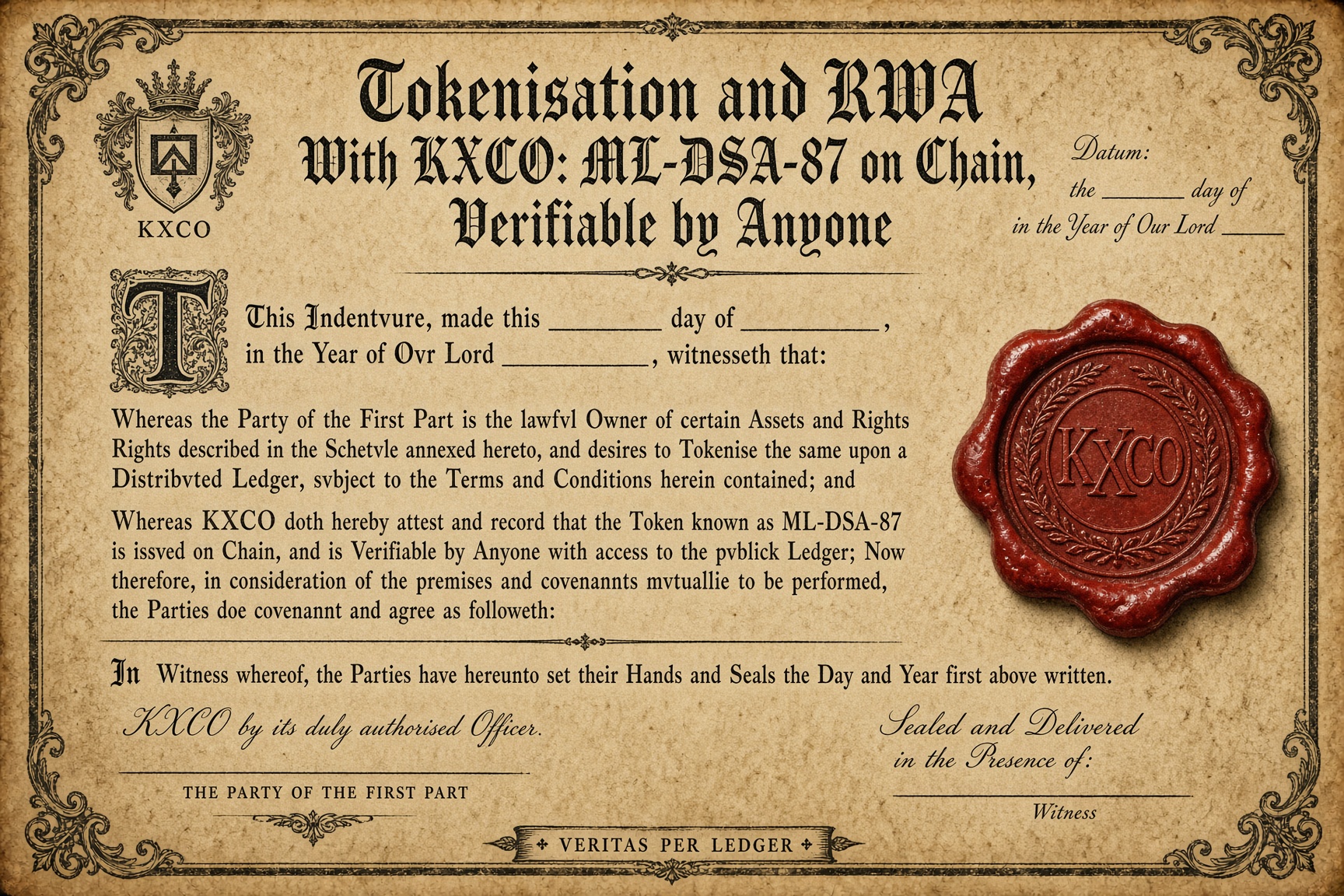
Tokenisation and RWA With KXCO: ML-DSA-87 on Chain, Verifiable by Anyone
Armature, KXCO's chain, has verified ML-DSA-87, the highest security category in NIST FIPS 204, natively on chain since 6 October 2026, and KXCO's platform signing keys moved to it on 6 and 7 October. Regulators now name tokenisation a supervisory priority, and DORA already requires cryptography that can change with cryptanalysis. Six tests an institution should run before it trusts a tokenisation platform, and where to check KXCO's answer to each.
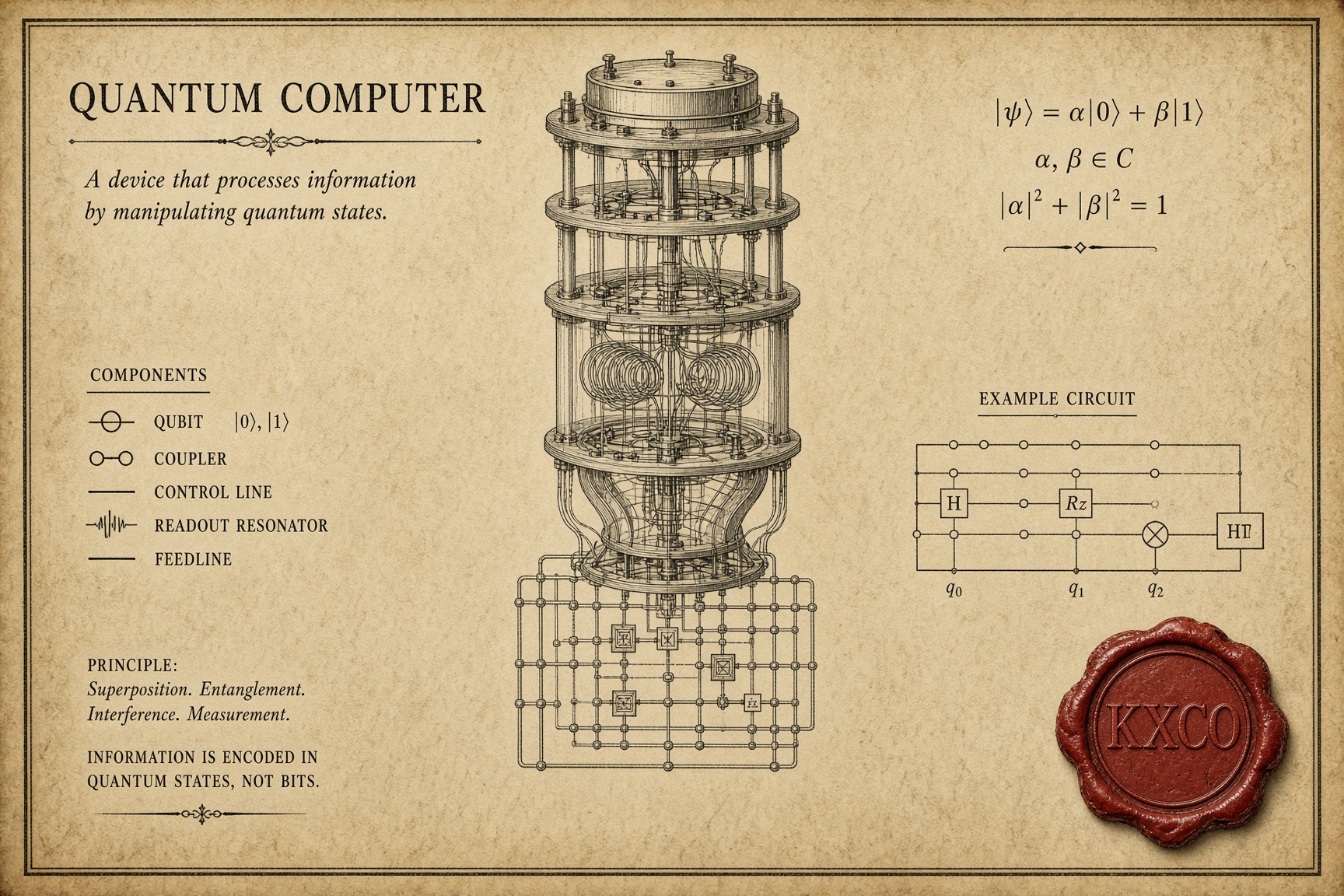
How ML-DSA-87 Opens the Door to Government Contracts
Government contracts turn on a written question: which algorithm, at which parameter set? The NSA names ML-DSA-87 for every classification level of US national security systems, and new acquisitions must meet that suite from 1 January 2027. Australia's ISM prefers it. Executive Order 14412 puts NIST's post-quantum standards into federal contracting by 2030. KXCO's chain has checked ML-DSA-87 in consensus since 6 October 2026, and on 7 October KXCO moved its own signing keys to it.
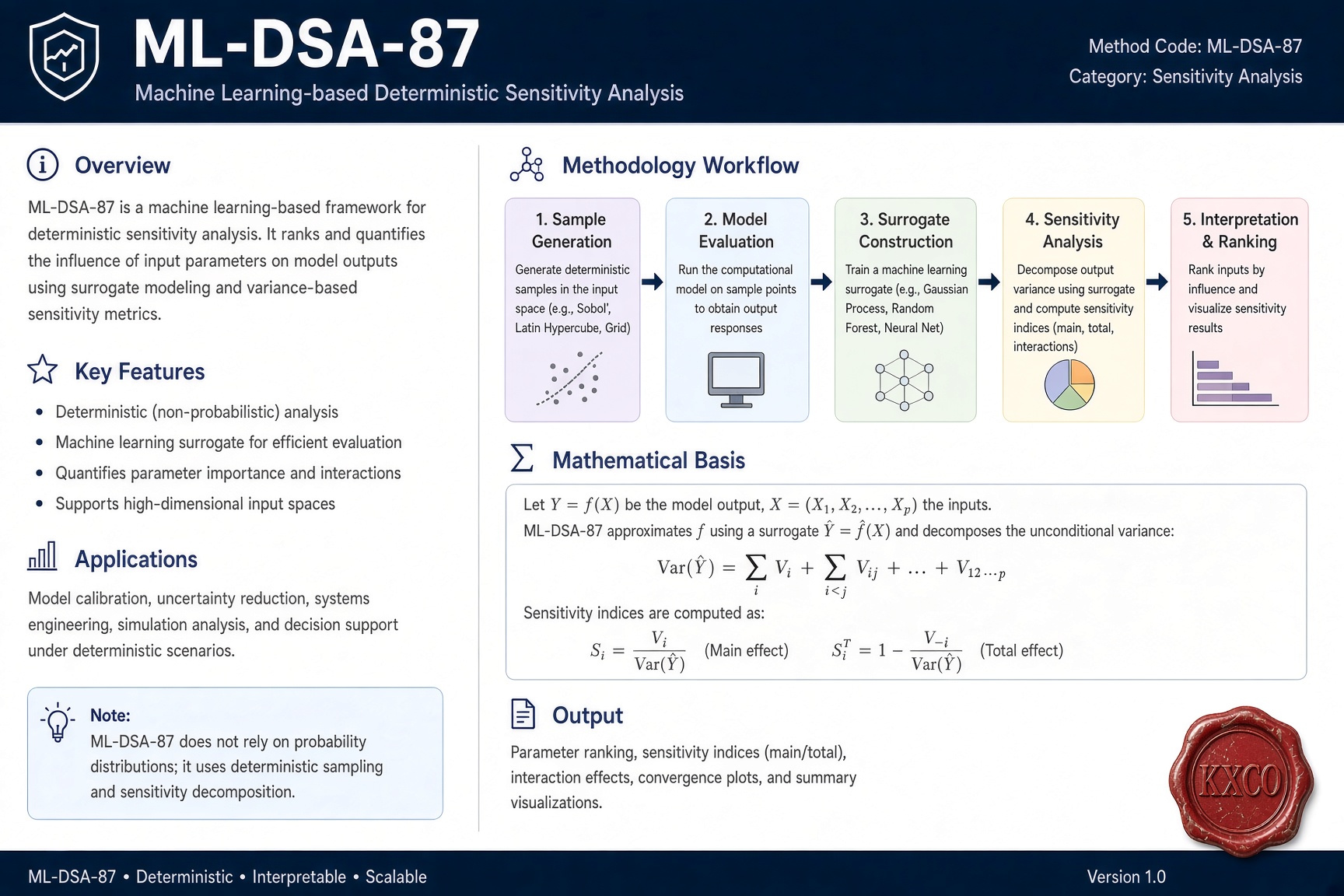
KXCO Now Verifies ML-DSA-87 in Consensus, the Signature Level Named by the NSA
On 6 October 2026 KXCO's chain began verifying ML-DSA-87 signatures as a rule of consensus, and the first ML-DSA-87 identity registered 28 seconds later. ML-DSA-87 is the category 5 level of NIST's FIPS 204, specified by the NSA for US national security systems and preferred by Australia's Information Security Manual. KXCO ships it for signing and for keys held in hardware, accepts it across its network and verifies it on chain, and anyone can check a verdict.

Post-Quantum Has a Deadline: 2030 for Keys, 2031 for Signatures
Executive Order 14412 gives federal high-value systems until 31 December 2030 for post-quantum key establishment and until 31 December 2031 for signatures. Six of the seven official calendars put a milestone in 2030. The Order reaches vendors through the contract, the purchase, the build, the data and the inventory. The runtimes already moved: a stock Node.js client negotiates X25519MLKEM768 by default. What is left is in the application.
Every story, signed and delivered.
Subscribe to the kxco channel and get the headline, the AI-written key takeaways, and the chain-anchor link the moment we publish. Audio versions and per-ticker subscriptions arrive in the next iteration.